MAD job processor
MAD has an internal cronjob-like job processing mechanism. With this mechanism, you can run jobs manually or schedule them.
Features:
Install or update apps on your devices
Run any command on your devices
Create new job
Create a personal_commands folder in MAD’s root directory. Save custom jobs as .json file. MAD must be restarted for new jobs to appear.
Example Job to read the game’s version:
{
  "Readout Pogo Version":
  [
    {
      "TYPE": "jobType.PASSTHROUGH",
      "SYNTAX": "dumpsys package com.nianticlabs.pokemongo | grep versionName",
      "FIELDNAME": "POGO_Version",
      "WAITTIME": 5
    }
  ]
}
Readout Pogo Version: Name of job that will appear in MADminTYPE: jobType.PASSTHROUGH: Type of job. See Job types for a list of supported jobsSYNTAX: dumpsys package com.nianticlabs.pokemongo | grep versionName: Shell commandFIELDNAME: POGO_Version: Field name for returning ValueWAITTIME: 5: Wait 5 minutes before starting the job
You can chain multiple jobs together. See Nested jobs.
APK installation job
MAD can create a job to install an APK on your devices just by uploading the app via MADmin.
Use upload_path in config.ini to define the software folder for these APKs (Default: upload/ in MAD root folder)
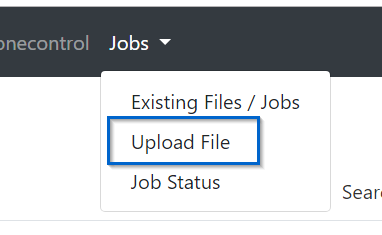
Select APK and Upload it.
Job types
MAD supports the following job types:
jobType.INSTALLATION: Install APK on devicejobType.REBOOT: Reboot devicejobType.RESTART: Restart PogojobType.STOP: Stop PogojobType.START: Start PogojobType.PASSTHROUGH: Send command to device
Automatic Jobs
You can configure MAD to launch jobs based on certain timings.
Create file “autocommands.json” in your configured file_path/ directory. You can set the path via config.ini.
Example content:
[
  {
    "redo": true,
    "algotype": "loop",
    "algovalue": 10,
    "startwithinit": true,
    "origins": "tv1",
    "job": "Readout Pogo Version",
    "redoonerror": true
  },
  {
    "redo": true,
    "algotype": "daily",
    "algovalue": "21:00",
    "startwithinit": true,
    "origins": "tv5|tv6|tv7",
    "job": "Readout RGC Version",
    "redoonerror": false
  }
]
Description:
redo:truewill reschedule jobs after finish.falsewill set this jobs to run only oncealgotype:dailyruns this job once a day.loopwill looü the job every x minutesalgovalue: depends on algotype. :code: daily sets time like “21:30” (24h format).loopsets loop time in minutes (120 = every 2 hours)startwithinit:truewill start the job after MAD start.falsestarts the job according to scheduleorigins: Single or list of devices (separated by|)job: Name of the jobredoonerror: Reschedule jobs after getting an error
MADmin API endpoint for jobs
Madmin provides a read-only endpoint via GET /jobstatus to read all processed jobs’ return value.
Example:
{
   "my_device_name": {
      "POGODROID_Version": "[versionName=1.1.3.0]",
      "POGO_Version": "[versionName=0.153.2]",
      "RGC_Version": "[versionName=1.9.3, versionName=1.8.34]"
   }
}
Nested jobs
You are able to combine more jobs to one nested or chained job. Nested jobs are processed from top to bottom.
Example:
MAD starts the top most job and will schedule the memory usage readout with a delay of 3 minutes. Eventually, the game will start.
{
  "Stop/Start Pogo and readout Memory Usage":
  [
    {
      "TYPE": "jobType.STOP",
      "SYNTAX": "STOP Pogo"
    },
    {
      "TYPE": "jobType.PASSTHROUGH",
      "SYNTAX": "dumpsys meminfo | egrep -w 'Total RAM|Free RAM|Used RAM'",
      "FIELDNAME": "MEMORY_USAGE",
      "WAITTIME": 3
    },
    {
      "TYPE": "jobType.START",
      "SYNTAX": "START Pogo"
    }
  ]
}
Hint
If one of the jobs results in an error, following jobs will be canceled.
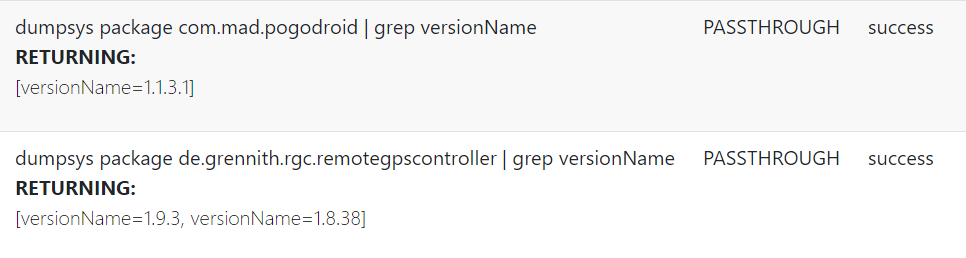
Discord integration
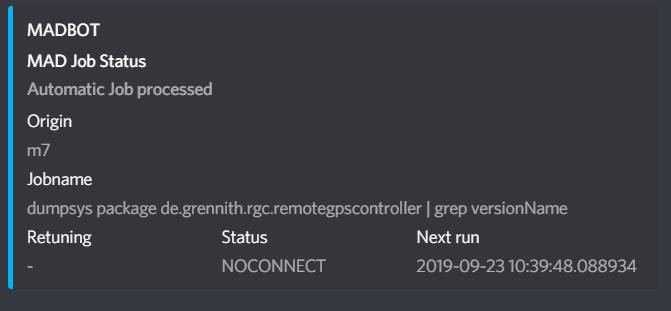
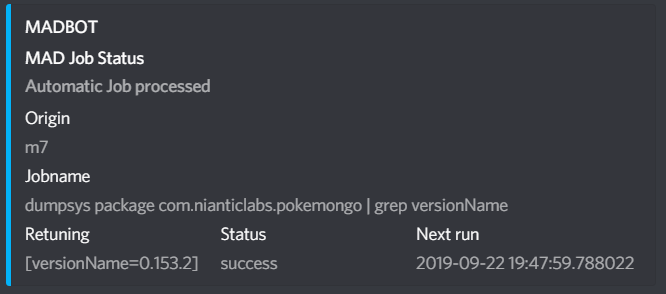
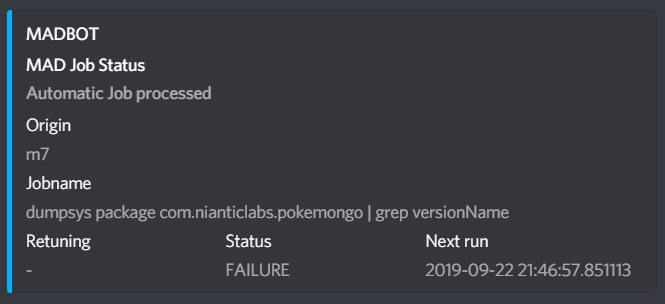
MAD is able to submit a job’s state to Discord.
job_dt_wh                    # Send job status to discord (Default: False)
job_dt_wh_url:               # Discord Webhook URL for job messages
job_dt_send_type:            # Kind of Job Messages to send - separated by pipe | (Default: SUCCESS|FAILURE|NOCONNECT|TERMINATED)
job_dt_wh: Enable Discord supportjob_dt_wh_url: Discord webhook URLjob_dt_send_type: Define the kind of submission (separated by|) (Default: SUCCESS|FAILURE|NOCONNECT|TERMINATED)
Examples: